Appearance
Nordea Corporate
Country: Sweden
Business usage
This integration is intended for Nordea's business clients using Nordea Corporate Netbank.
In order to use this integration, please make sure that the "Third party service provider(s)" item is activated in the Nordea Corporate Netbank Administration under the Open Banking Administration.

This can not be done directly in the Nordea Corporate Netbank Administration interface and should be requested from Nordea. When this is activated by Nordea, the Corporate Netbank Administrator (not a user) can log in to Nordea Corporate Netbank Administration tool (through the Nordea Corporate Netbank user interface) and view the Administration rights for a specific administrator.
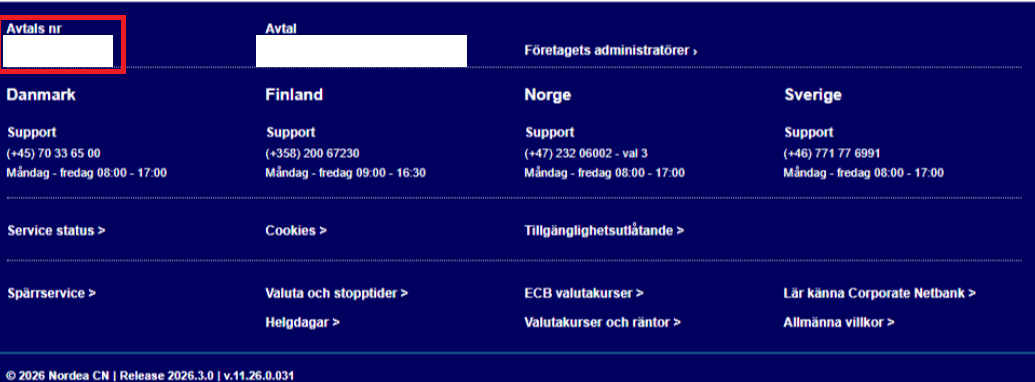
As an end user authorising the access you will be requested to provide your company's agreement number (Avtals nr) for Nordea Corporate Netbank. Please note that the agreement number is not the same as your company's organisation number. The agreement number (Avtals nr) can be found at the bottom of the Nordea Corporate Netbank interface, as highlighted below.
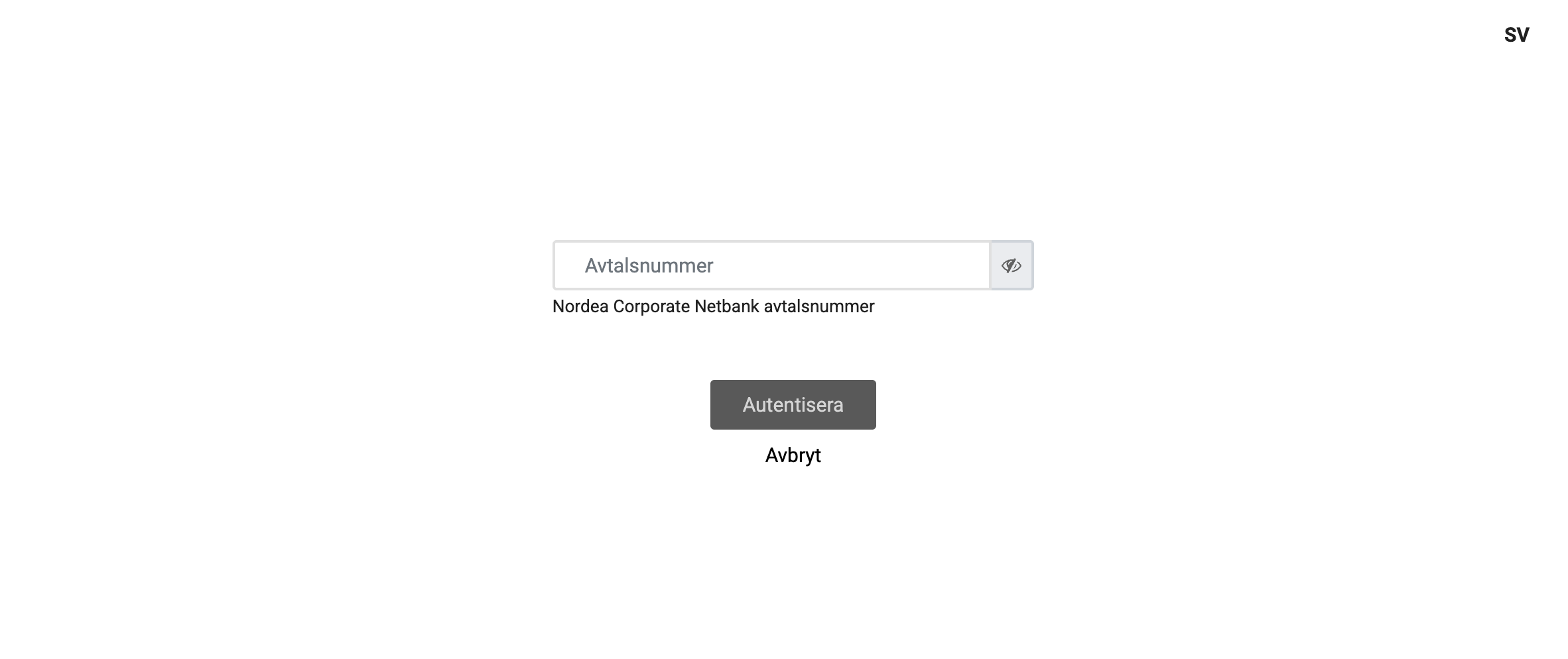
As the first step you will be requested to input the agreement number. Please make sure you are inputting the correct one, as it is not validated at this point.
After entering the agreement number you will be redirected to the Nordea authentication service where you will need to choose the authentication method you use when logging in to Nordea Corporate Netbank.
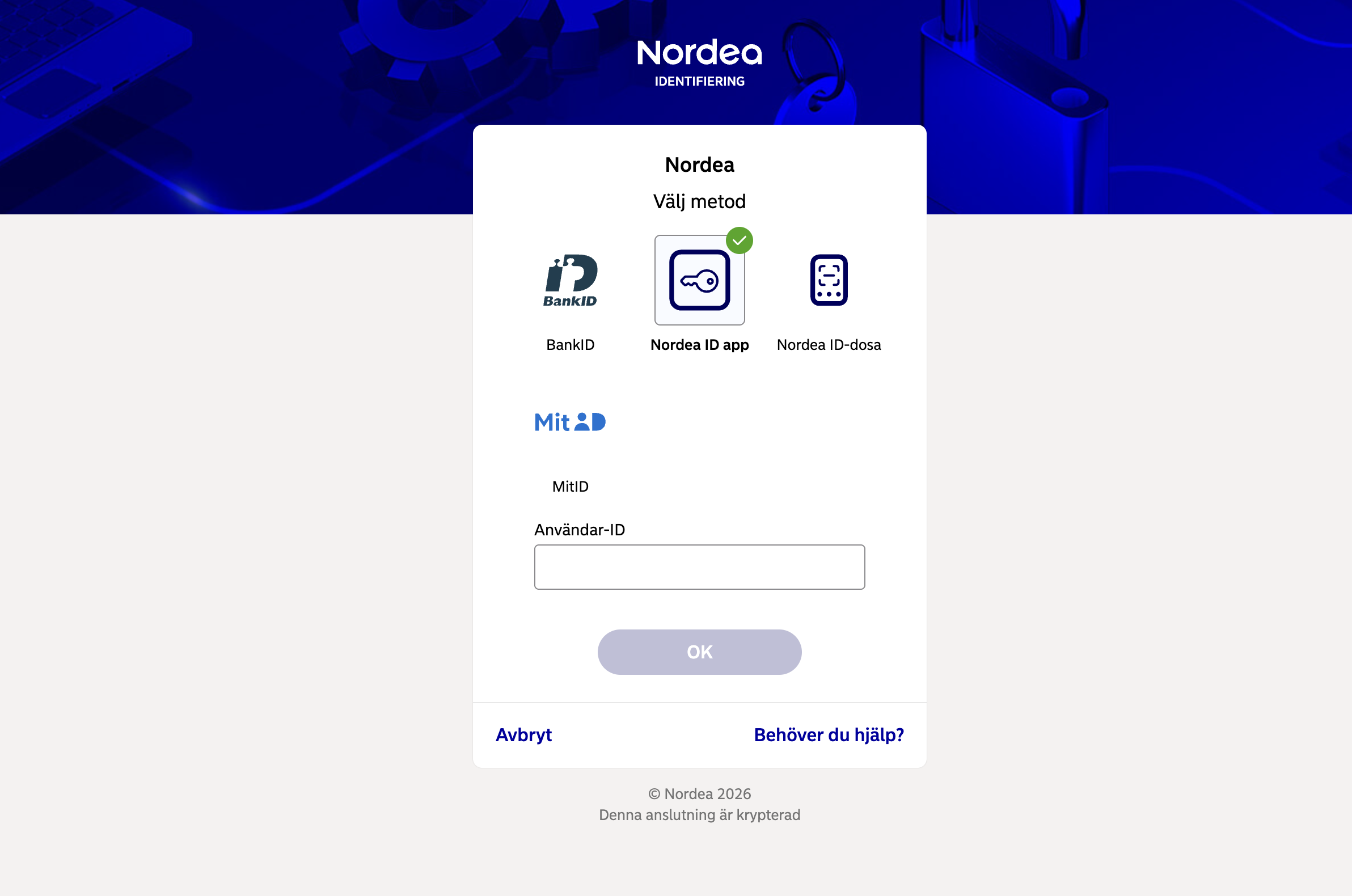
Based on the authentication method you've chosen you will need to confirm authentication with either BankID, Nordea ID app, or Nordea ID-dosa. Please note that your Nordea Corporate Netbank can be configured so that access through a third party service provider needs to be authorised by two or more individuals — in such cases other people will be prompted to confirm access using their preferred strong customer authentication methods.
For more information on how to use PSD2 interfaces through a service provider, see the Nordea support article.
In case your company does not have an agreement to use Nordea's Corporate Netbank, please use Nordea integration (more information about Nordea integration can be found here).